

I thought my listing was very detailed but I'm now questioni...
Latest reply
I thought my listing was very detailed but I'm now questioning I just had an 89 year old lady stay in our Basement Suite. Th...
Latest reply
Sign in with your Airbnb account to continue reading, sharing, and connecting with millions of hosts from around the world.

Hi everyone, some help required please for my listing.
I want to change some of my listing photos because I now have better ones.
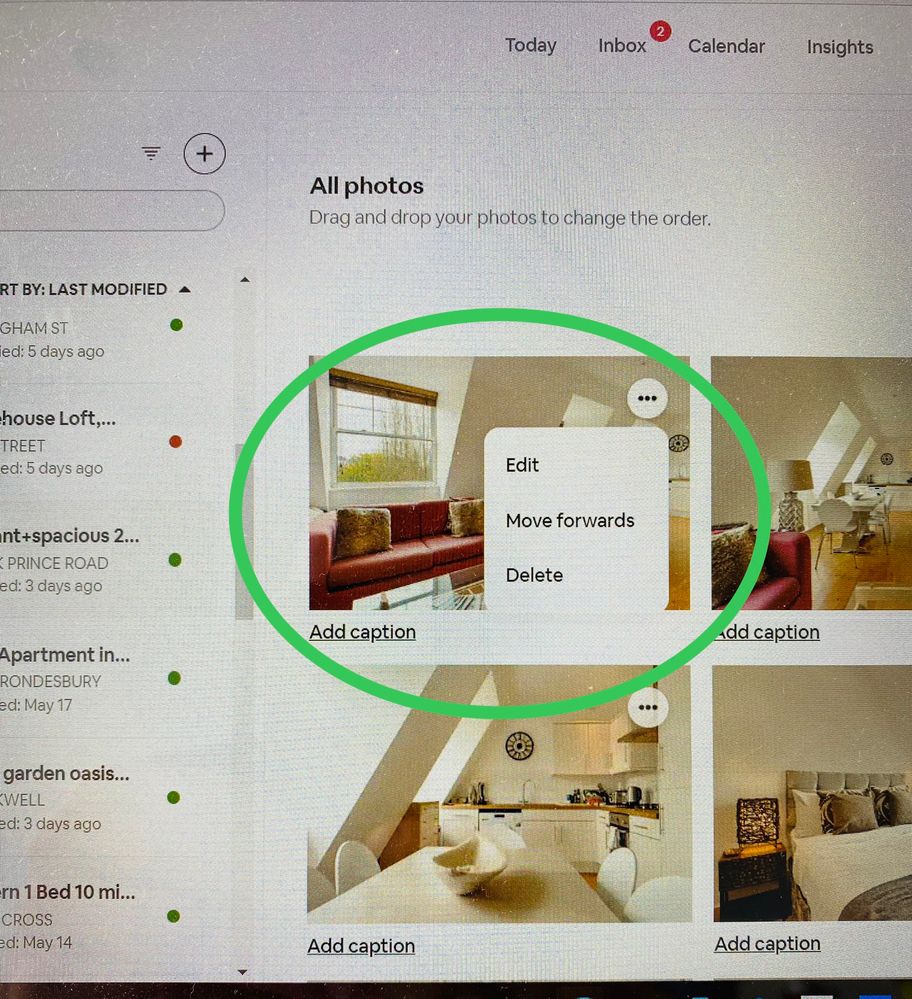
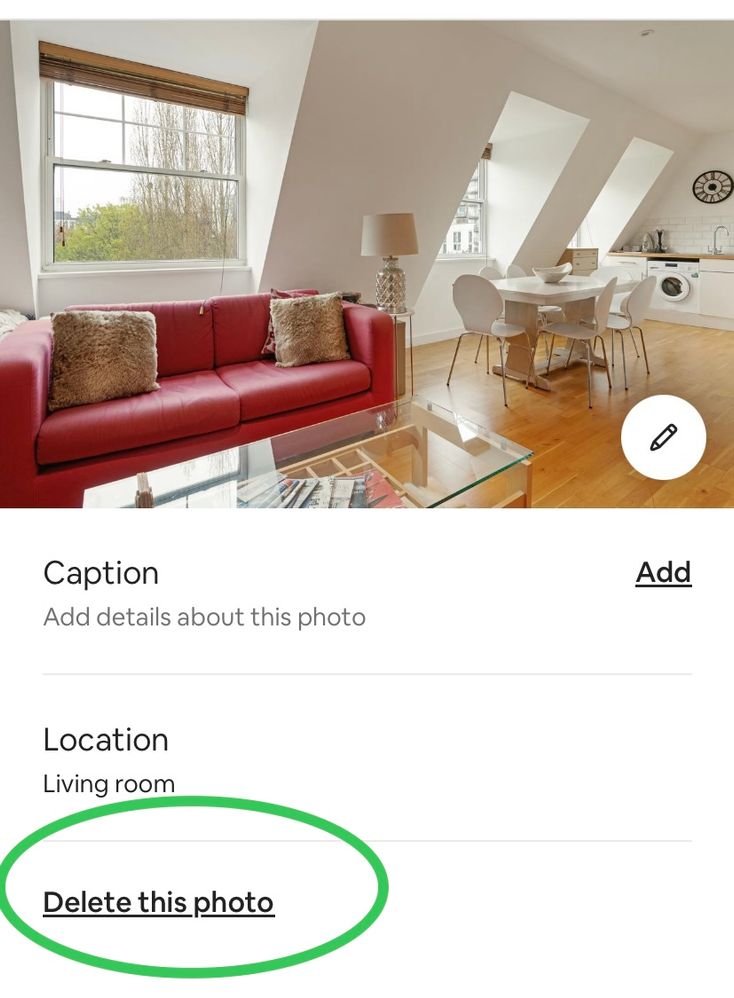
Since the 2022 Update I can't REMOVE existing listing photos. I can add more without difficulty.
Where am I going wrong?
This has only happened since the update.
John
Answered! Go to Top Answer

Hi @John6157 are you not able to see either of these options when you’re in the photo section of your listing on mobile app and desktop version?
Hi @John6157 are you not able to see either of these options when you’re in the photo section of your listing on mobile app and desktop version?
Paul, thank you that is really helpful. I'm using Chromebook not Windows and whilst I don't see the links you have highlighted it gave me a couple of ideas and I've now been able to delete and replace a photo. Success! Thank you very much. John

I'm also trying to edit. Having a VERY frustrating time not contacting support despite my best efforts. They had professional photos taken, and when they uploaded them they mislabelled some of them. So the room with the bunk bed says "Queen bed" and vice versa. Something that's in one room says it's in another. It really doesn't matter all that much, I'd just like to correct it! Plus all the photos are overexposed, but I may be able to play around a little bit with contrast etc.
So happy! I looked around in this forum, and found the secret 🙂 It's listed under "property and rooms", not under photos. Who knew?


