Hi @Rose3,
I am assuming you are referring to creating a listing and you want to delete it or do you mean you Airbnb account? See instructions below. If you are looking at cancelling your Airbnb account, I included instructions at the very bottom.
Here is how you deactivate your listing permanently:
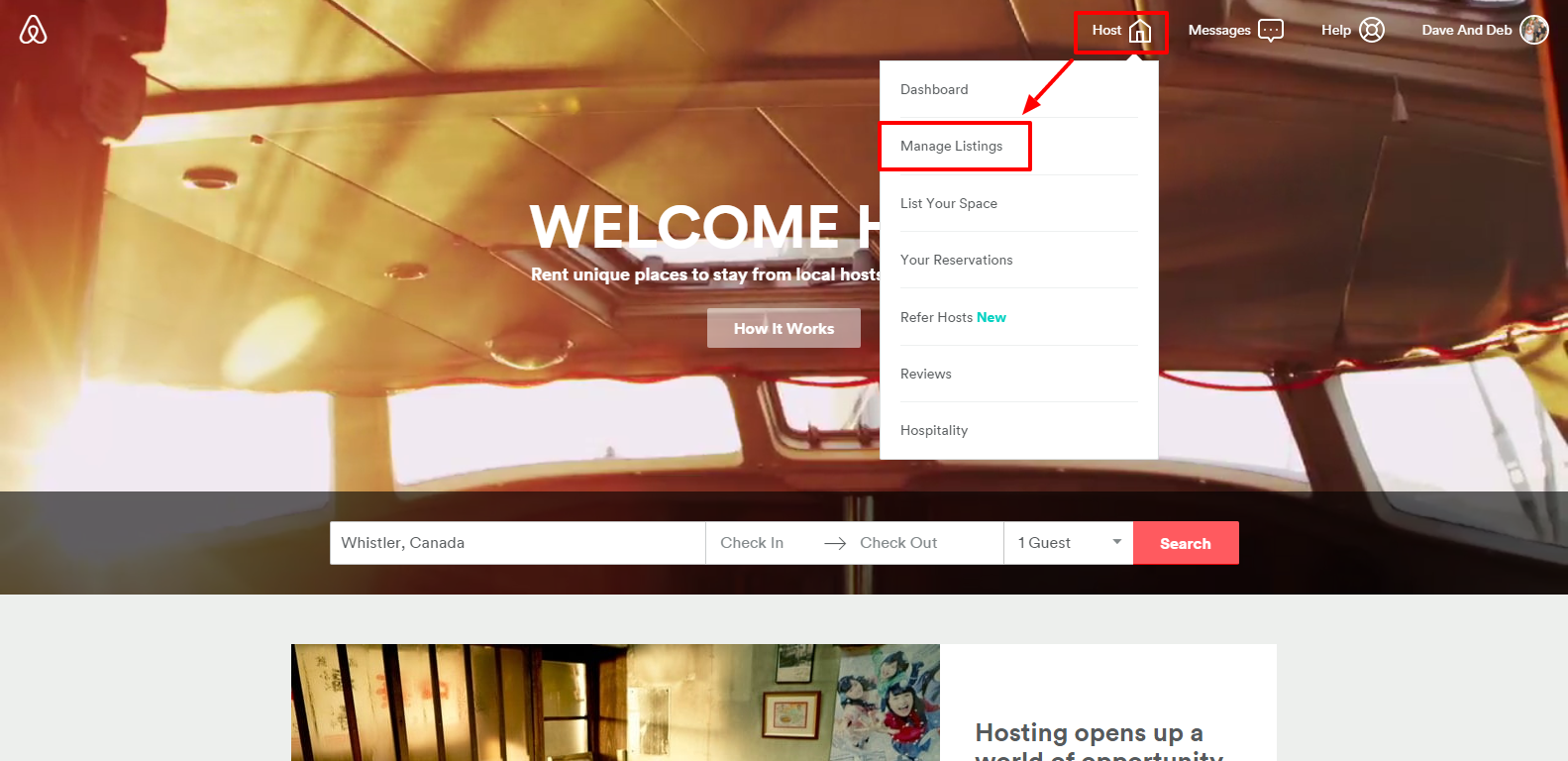
Log into Airbnb.com and click on "Host" and "Manage Listings".
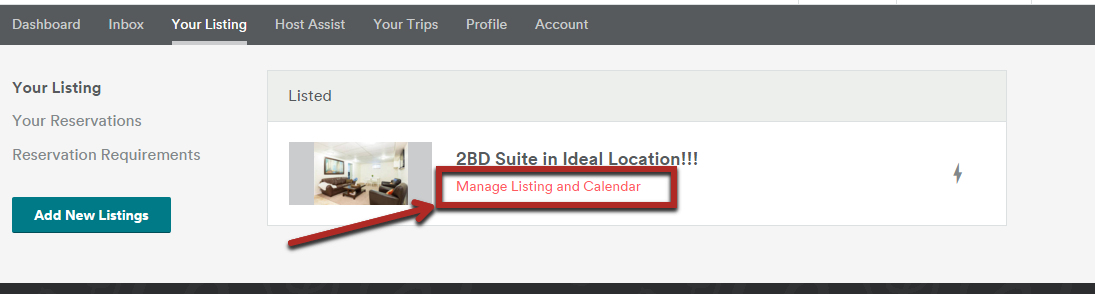
Choose the listing you want to delete and then choose "Manage Listing and Calendar".
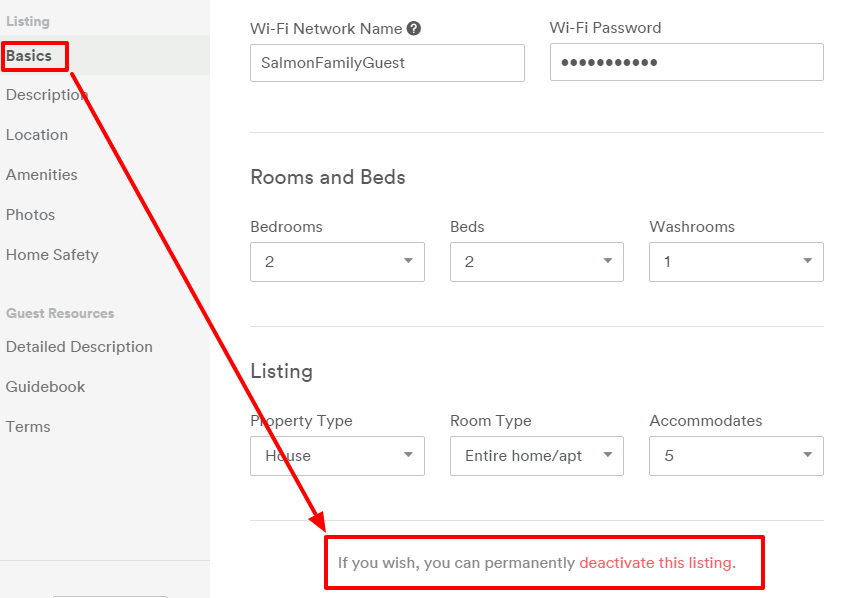
You can permanently deactivate your listing by going to "Basics" under the listing section of the left hand menu. The scroll down and find the red link that says "deactivate this listing".
If you are referring to cancelling your entire account, go to Account ---> Settings ---> Cancel My Account

David
Superhost Ambassador ~ Host Club Community Leader ~ Experienced Co-Host


