


Gooday Hosts, I have a guest looking for another available a...
Gooday Hosts, I have a guest looking for another available apartment in Morningside, mine is fully booked. Please make contac...
Sign in with your Airbnb account to continue reading, sharing, and connecting with millions of hosts from around the world.

I am having the following issue . I have been trying to get help from the Airbnb support .It seems they don't even know their own product. Getting tired of them . Maybe someone on this platform has solution to this issue. Thx
My default setting to book is 6 days minimum .
I added the following custom setting for booking.
* May 22, 2021 – May 23, 2021: 1 night minimum stay.
The system is not recognizing the custom setting and calendar shows the above dates as unavailable due to 6 nights minimum setting.

There are several ways to achieve this goal.
- As a special requirement in the availibility section
- As a rule set (professional tools must be activated)
Which one did you use ?
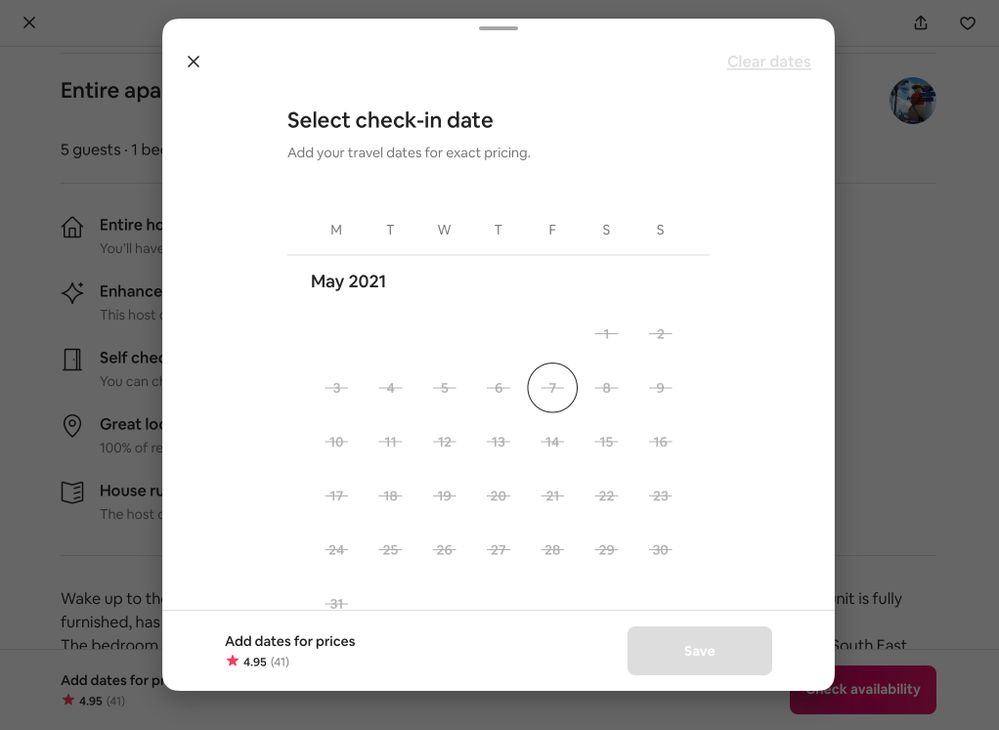
BTW Your listing shows NO available dates to book in May !
Thx- the issue is fixed

Hi @Ray1535
Welcome to the community 😊
Yes, you are right.
‘ The system is not recognizing the custom setting, and the calendar shows the above dates as unavailable due to 6 nights minimum setting.’
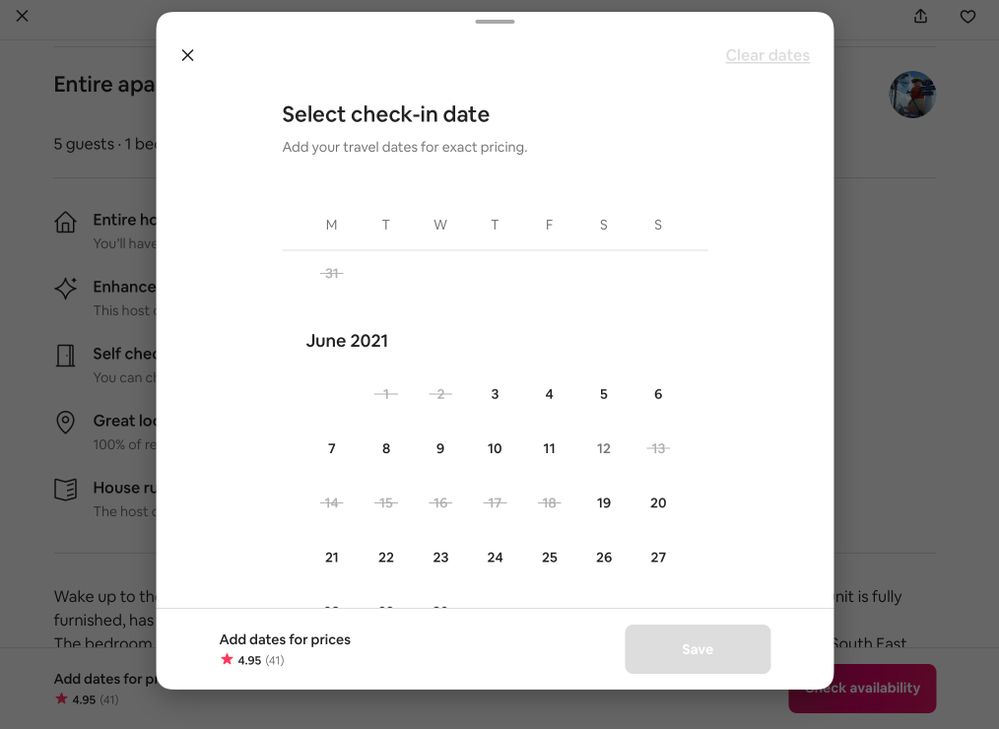
I have checked out your calendar. May is blocked, that cause you can't set the date.
Do update your calendar, then make the custom setting.
As present your calendar imaje in below,

@Ray1535 how was it resolved?
We have had this same issue twice. In our case we have a 2-night minimum and have used the Custom Settings function to select a date in order to lower the minimum for that night to 1 night. Airbnb has confirmed all settings are correct on our side. Each time we've had to call and wait for Airbnb to fix "the glitch" (their words).
Hi @Jennifer-and-Jaime0 @Ray1535 ,
I'm having the same issue and Airbnb can't seem to fix the "glitch"
Who did you contact to fix the issue?

I just got off the phone with Airbnb support about this same issue. Very frustrating. I set up a custom setting covering three months to have a minimum stay of 7 days. Once I set this up and return to the calendar, there is no easy way to show what I just set up. It shows that I have a custom setting, but does not show the parameters. I select EDIT and it does not show the effective dates. Their suggestion? Go to your listing and make a note on your listing page. SRSLY? Their "improvements" to the Calendar page has made it very wonky. I now have to refresh the page in order to see changes and sometimes have to do things twice in order for it to "take." Please just put it back to the way it was!


