


How do I list a temporary host as my co-host?
Answered!
22-07-2023
07:14 PM

- Mark as New
- Subscribe
- Mute
- Permalink
- Who Liked this post
- Report Inappropriate Content
22-07-2023
07:14 PM
How do I list a temporary host as my co-host?
Heading out of the country for six weeks. I have someone who is willing to co-host for those six weeks. How do I list her? How do I share my account with her? Thanks
Answered! Go to Top Answer
22-07-2023
07:14 PM
Top Answer
24-07-2023
10:28 PM

- Mark as New
- Subscribe
- Mute
- Permalink
- Who Liked this post
- Report Inappropriate Content
24-07-2023
10:28 PM
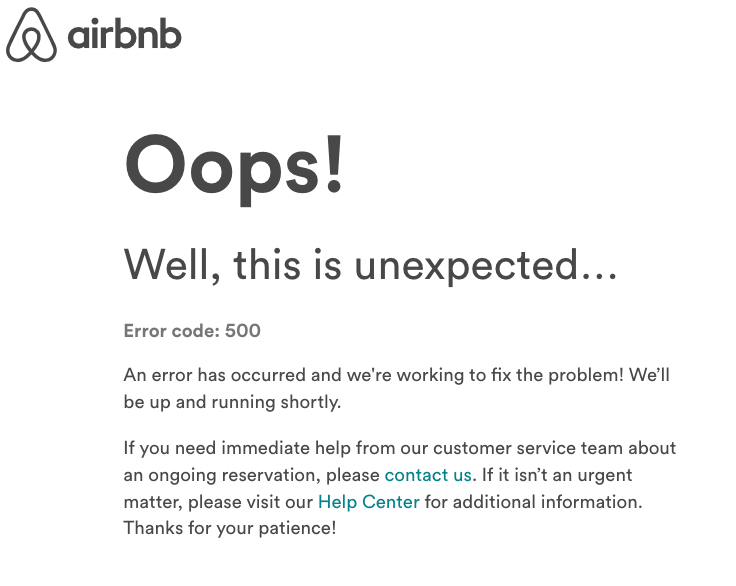
Well rats!!! Been seeing this error message a lot the last few days. Couple of options:
- When you get the error try refreshing your page
- Google Chrome seems to be the biggest problem with desktop applications. Try logging out, then log back in on a different browser (Like Firefox)
Be sure you have the correct email address for the person you are trying to add as a co-host.
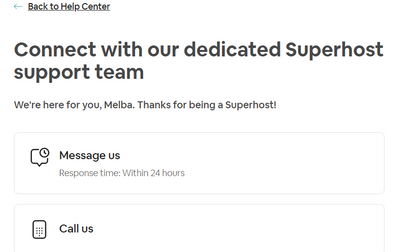
If that doesn't work, you can contact CS. @Bhumika has provided this link:
"You can connect with the Airbnb Support team through the contact page : https://www.airbnb.com/help/contact-us."
Let us know if any of this works!
5 Replies 5
22-07-2023
07:44 PM
- Mark as New
- Subscribe
- Mute
- Permalink
- Who Liked this post
- Report Inappropriate Content
22-07-2023
07:44 PM
Hi @Kathryn489
Links below on how to add co-hosts. You'll need to decide which of the 3 levels of access/permissions you would like your co-host to have.
One caution...If the co-host doesn't have quick replies under their logon, they can respond to messages, but won't have the ability to use/access quick replies. I wouldn't setup scheduled messages under the co-host (I'm not sure if they would get sent twice or not 🤔). However, I would be sure that the co-host has important quick replies set up so they can easily use them on their login. Other hosts might be able to advise also?
Adding Co-hosts to Your Listing
https://www.airbnb.com/help/article/1244
What Can Co-Hosts Do?
22-07-2023
07:44 PM
24-07-2023
10:17 PM
- Mark as New
- Subscribe
- Mute
- Permalink
- Who Liked this post
- Report Inappropriate Content
24-07-2023
10:17 PM
24-07-2023
10:17 PM
24-07-2023
10:23 PM

- Mark as New
- Subscribe
- Mute
- Permalink
- Who Liked this post
- Report Inappropriate Content
24-07-2023
10:23 PM
Hey @Kathryn489 , thank you so much for sharing this! Could you kindly provide some details? Is this issue occurring while you're trying to log in to the community or the Airbnb platform? Are you using a laptop or a phone?
Regards,
24-07-2023
10:23 PM
24-07-2023
10:28 PM
- Mark as New
- Subscribe
- Mute
- Permalink
- Who Liked this post
- Report Inappropriate Content
24-07-2023
10:28 PM
Well rats!!! Been seeing this error message a lot the last few days. Couple of options:
- When you get the error try refreshing your page
- Google Chrome seems to be the biggest problem with desktop applications. Try logging out, then log back in on a different browser (Like Firefox)
Be sure you have the correct email address for the person you are trying to add as a co-host.
If that doesn't work, you can contact CS. @Bhumika has provided this link:
"You can connect with the Airbnb Support team through the contact page : https://www.airbnb.com/help/contact-us."
Let us know if any of this works!
29-07-2023
07:52 PM
- Mark as New
- Subscribe
- Mute
- Permalink
- Who Liked this post
- Report Inappropriate Content
29-07-2023
07:52 PM
Thanks Joan, I'll try that!
29-07-2023
07:52 PM


